
Every case, in order.
Shauri runs your law firm in one place: clients, matters, court dates, documents, fee notes and client money. Built in Kenya, for Kenyan advocates.

Reminder: your hearing (ELC E009 of 2026) is tomorrow at 09:00, Kisii ELC, Court 2.
Sent automatically by ShauriBuilt around the case file, the way advocates already work.
Every matter is a folder. Everything about it, from the first instruction to the final decree, lives inside it and is one click away.
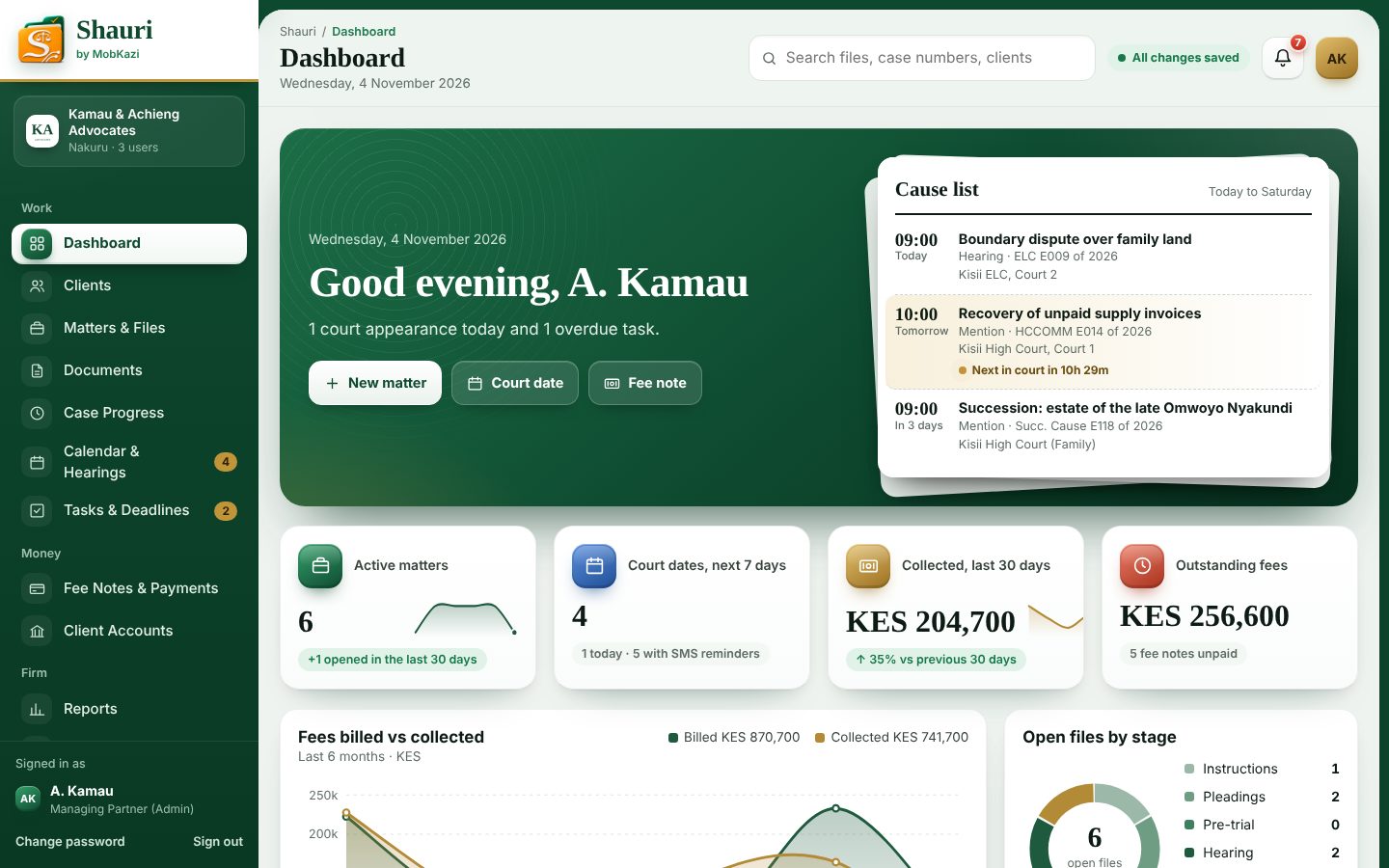
Today at a glance
Next court date, open files, fees collected and what each person is working on.
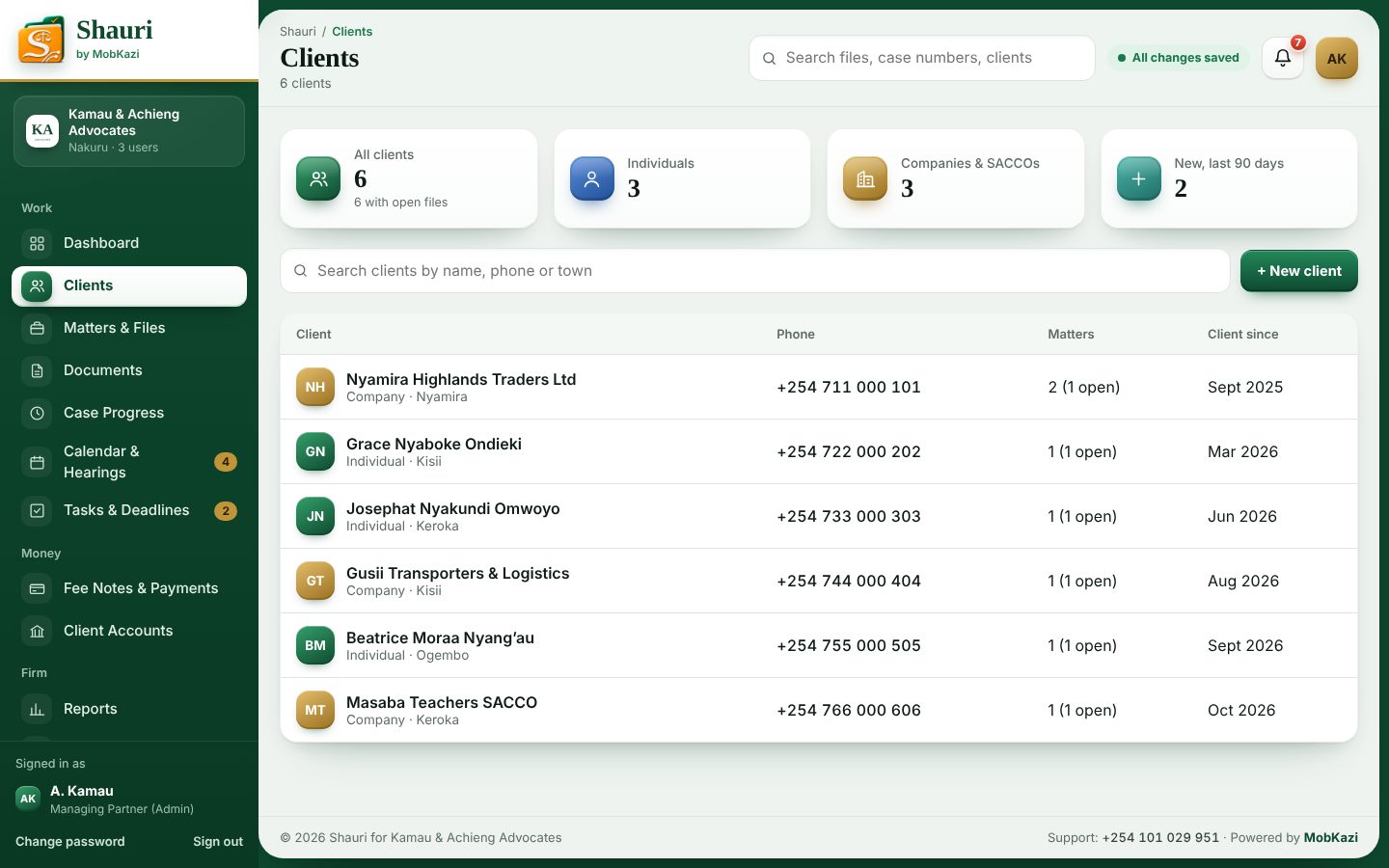
Clients and conflicts
Every client and their files, with a conflict check before you take new instructions.
Case folders
Court, case number, parties, advocate in charge, stage, notes and history.
Documents and templates
Upload pleadings and evidence. Draft letters with the client and case filled in.
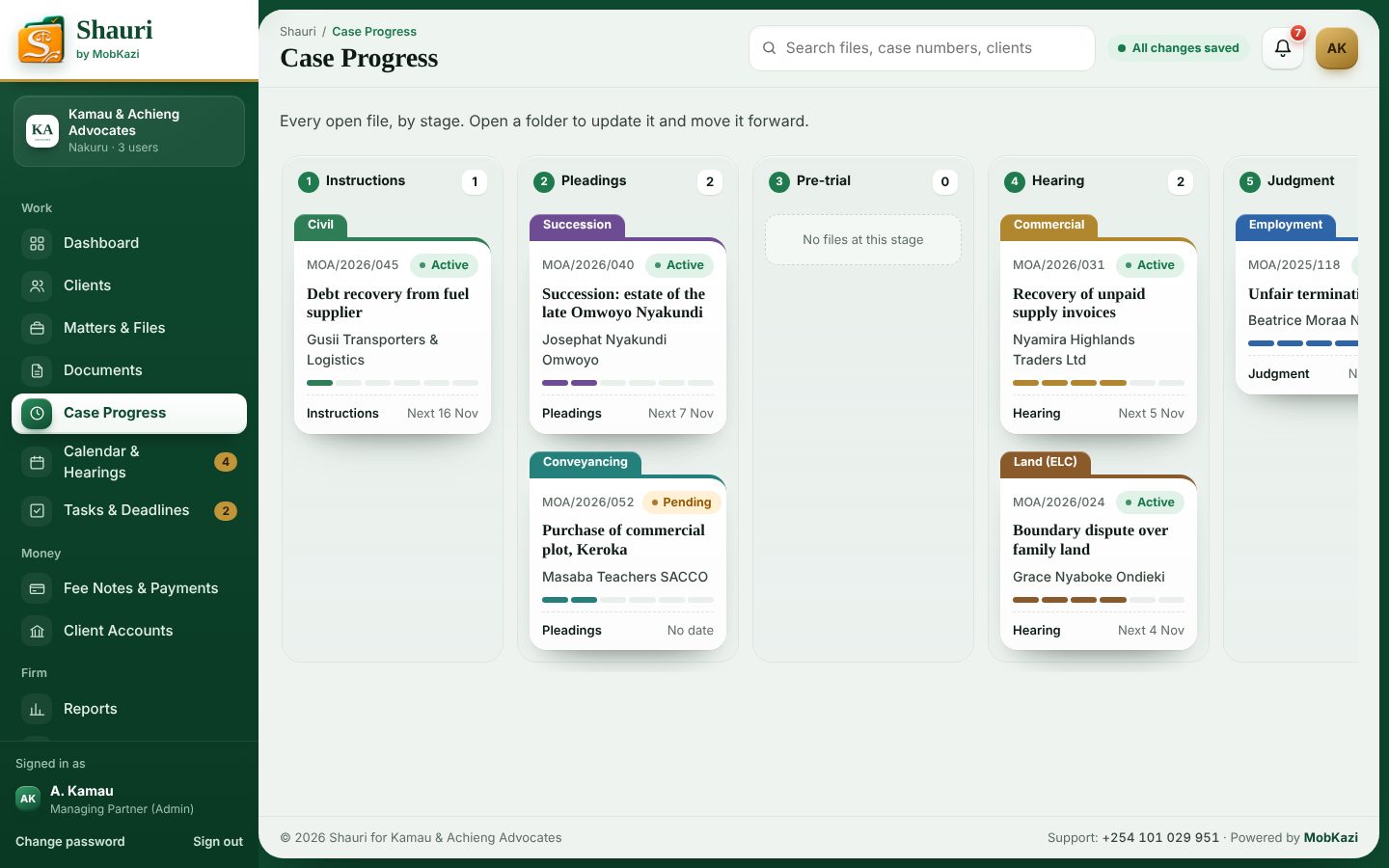
Every file by stage
From instructions to execution, see which files need a push this week.
Court diary
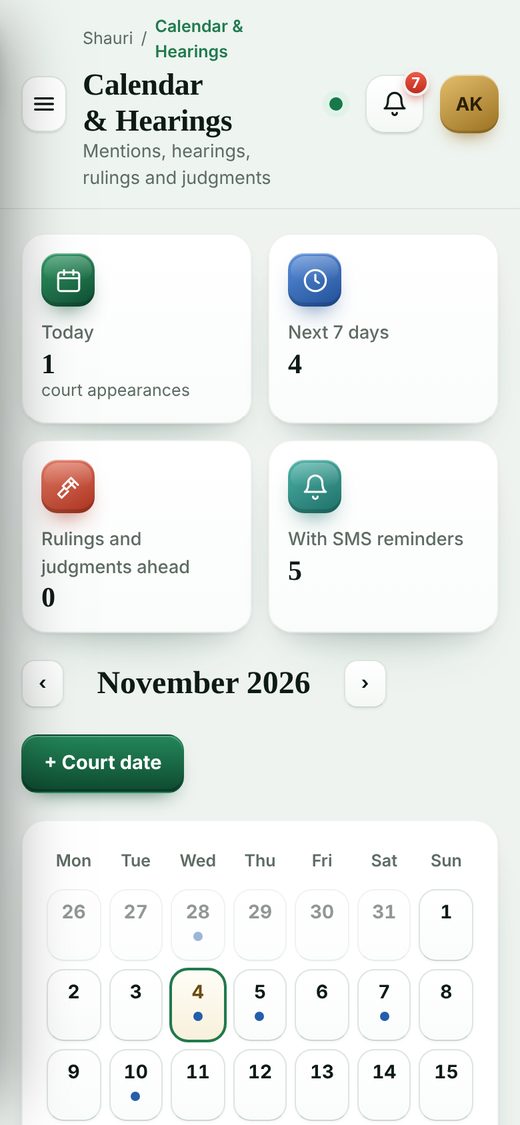
Hearings, mentions and rulings, with SMS reminders to clients the day before.
Deadlines
Filing deadlines and follow-ups, assigned to a person, overdue first.
Billing and M-Pesa
Fee notes with VAT and disbursements, payments by M-Pesa or bank.
Client money
Money held for clients kept apart from the firm's, with a balance per client.
How the firm is doing
Billed against collected, matters by type and court, work per advocate.
Clients kept informed
Clients see their own case, court dates, shared documents and fee notes.
Users and roles
Partner, advocate and clerk accounts, each seeing only what they need.
This is what your office runs on.
Real screens from Shauri, shown with sample clients and files.
Know where every file stands.
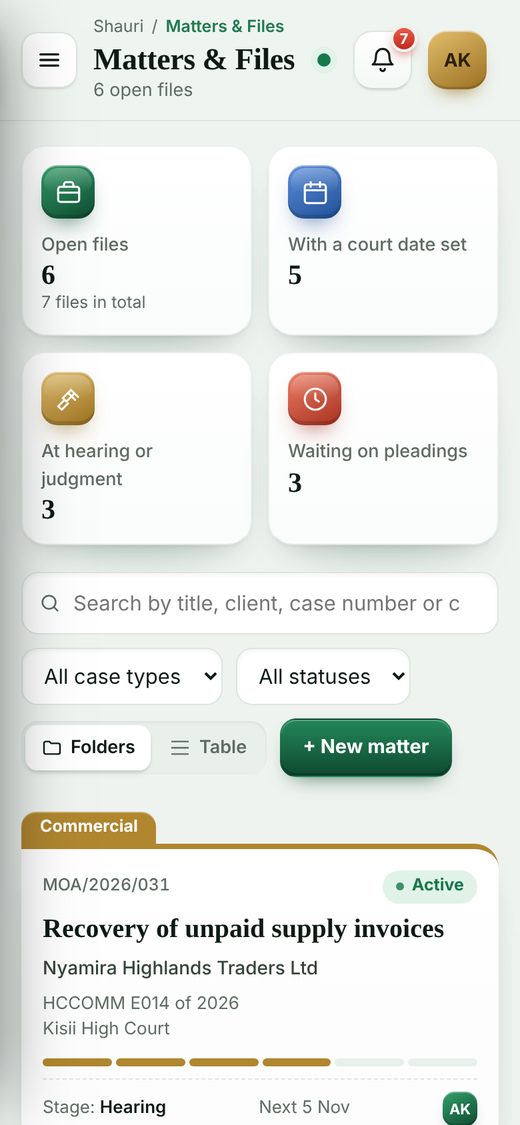
Open the board and every active matter is there, sorted by stage. Open a folder and you see the court, the case number, the next date, the documents and the fees billed on it.
- Six stages, from instructions to executionMove a file forward with one click; the client sees it too.
- Colour-coded by case typeLand, commercial, succession, employment and more, at a glance.
- Notes and history on every fileWho did what, and when, without asking around the office.
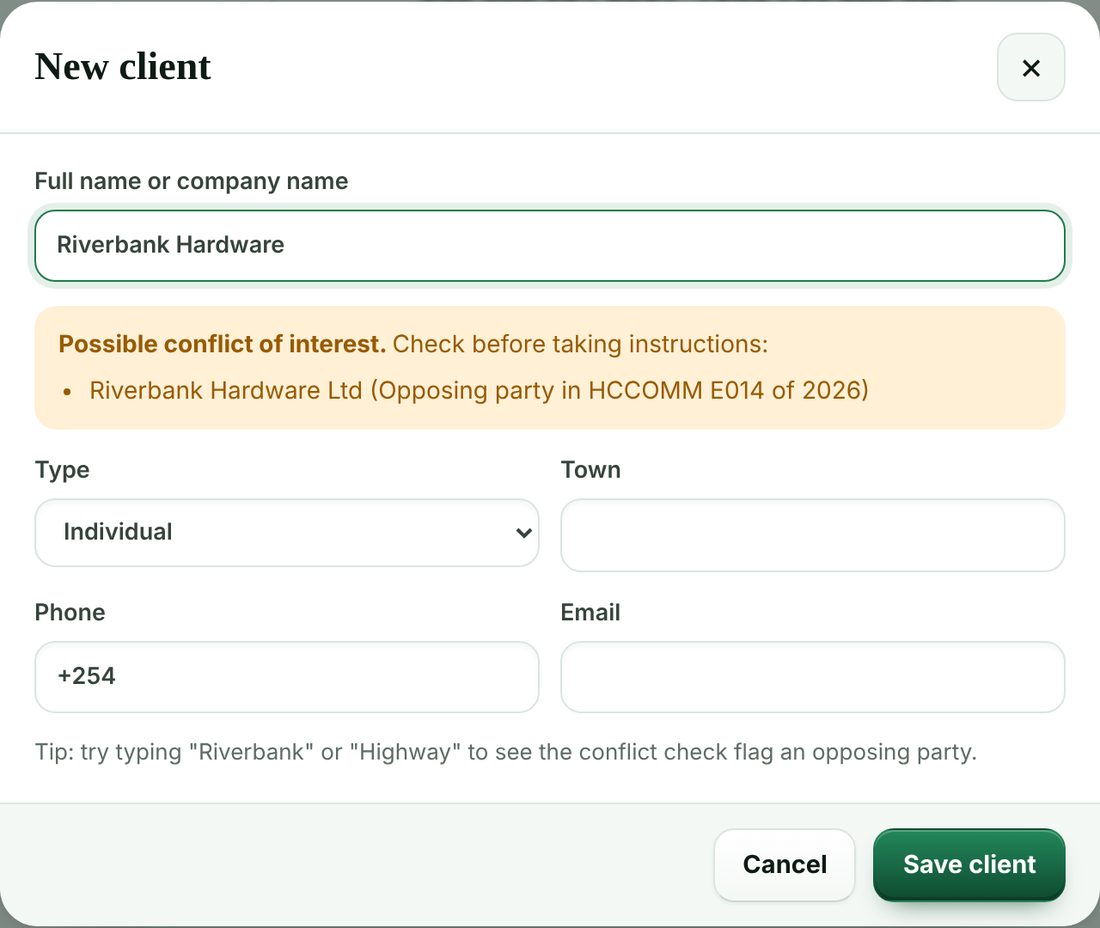
Check for conflicts before you take instructions.
Type a new client's name and Shauri checks it against every client and every opposing party on your books, and warns you before you open the file.
- Individuals, companies and SACCOsPhone, email and town on every client record.
- All their files in one placeEvery matter for a client, open or closed.
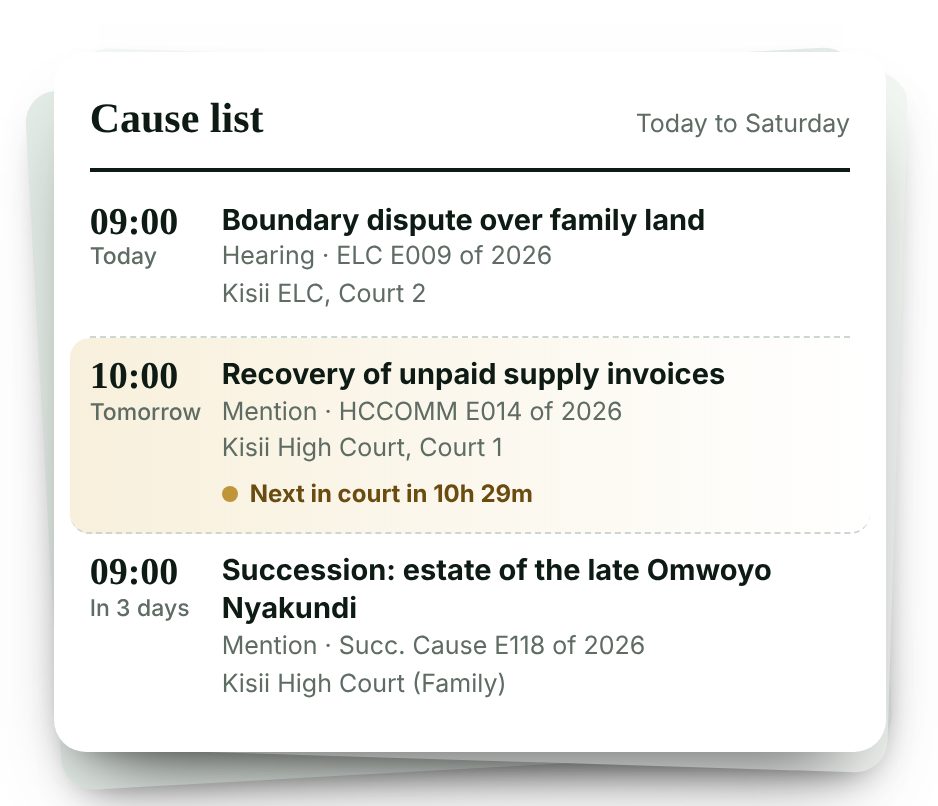
Never miss a court date.
The diary shows every hearing, mention and ruling. The day before, Shauri sends the client an SMS with the time and the court, so nobody turns up late or not at all.
- A cause list on the dashboardToday and the next three days, with a countdown to the next one.
- Record what happened in courtThe outcome goes on the file and the next date into the diary.
- Tasks with deadlinesAssigned to the advocate or clerk, overdue first.
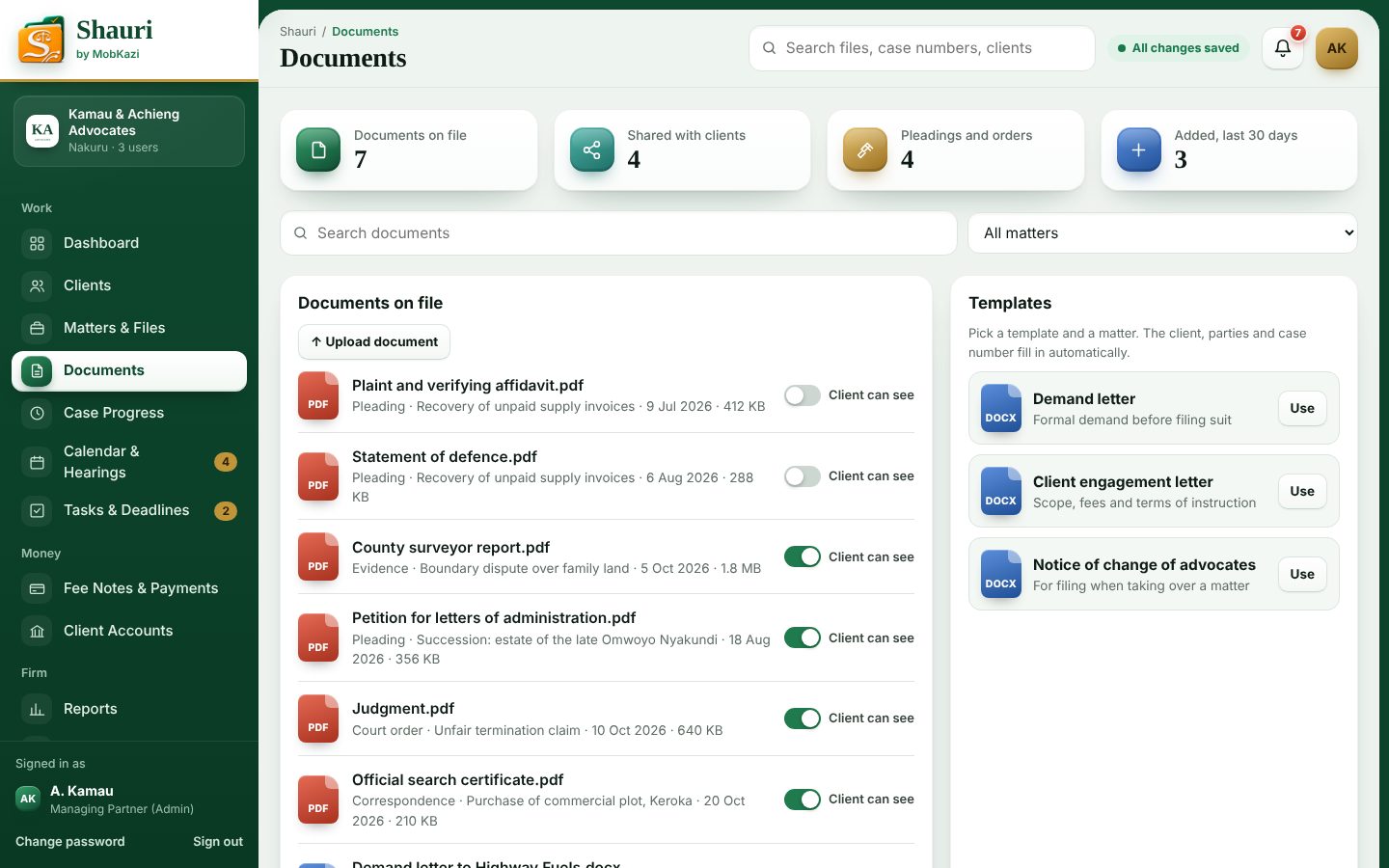
Letters drafted. Documents on file.
Upload pleadings, orders and evidence to the matter, and choose which ones the client can see. Start a demand letter or engagement letter and the client, parties and case number are already in it.
- PDF, Word, Excel and photosStored privately; only your staff can open them.
- Templates for everyday lettersDemand, engagement and notice of change of advocates.

Fee notes in seconds. Paid via M-Pesa.
Raise a fee note on your letterhead with VAT and disbursements worked out. Record M-Pesa and bank payments against it, and see what is outstanding across the firm.
- Your paybill on every fee noteClients pay with the fee note number as the account.
- Client money kept separateDeposits and decretal sums held for clients, with a running balance.
- Billed against collectedMonth by month, so you know where the firm stands.
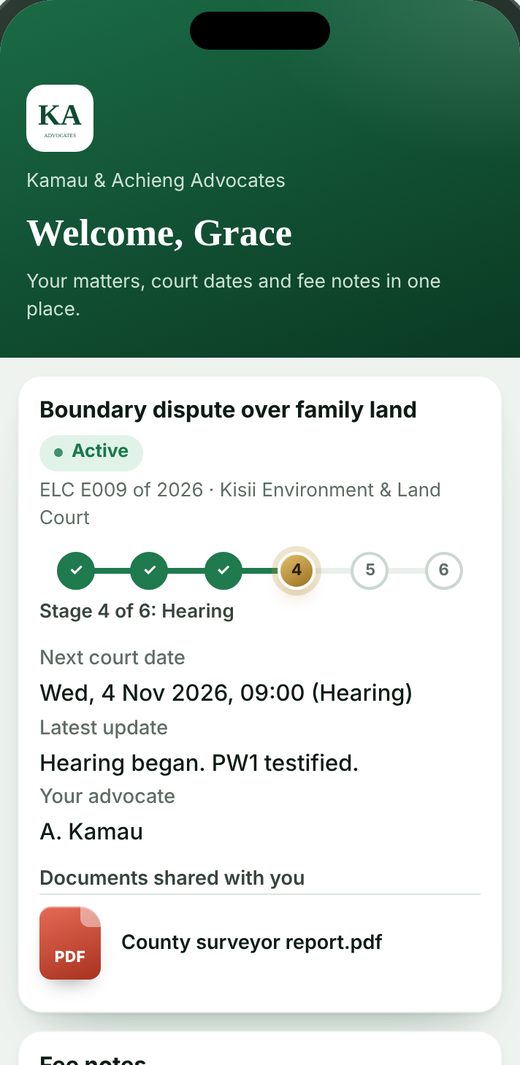
Clients follow their case from their phone.
Each client sees only their own matters: the stage, the next court date, the latest update in plain words, the documents you share and their fee notes. Fewer calls asking what is happening with the case.
- You decide what is sharedDocuments stay private until you switch them on.
- Your firm's name and logoThe portal carries your brand, not ours.
One file, start to finish.
- 1
Instructions
Client added, conflict checked, engagement letter drafted.
- 2
Pleadings
Documents filed and stored on the matter.
- 3
Pre-trial
Mentions and directions in the diary, client reminded.
- 4
Hearing
Outcomes recorded, next date set, tasks assigned.
- 5
Judgment
Judgment on file and shared with the client.
- 6
Execution
Decree, decretal sums in the client account, file closed.
Each person sees only what they need.
Everyone signs in with their own account. What they can open and change is set by their role, and enforced on the server.
Managing partner
Everything, including client accounts, settings and users.
- All 12 modules
- Audit trail
Advocate
Files, court diary, documents, fee notes and reports.
- 10 modules
Clerk
Files, diary, documents and tasks, with no access to money.
- 7 modules
Client
Only their own case, on their phone.
- Client portal
Your firm's files deserve better than a shared spreadsheet.
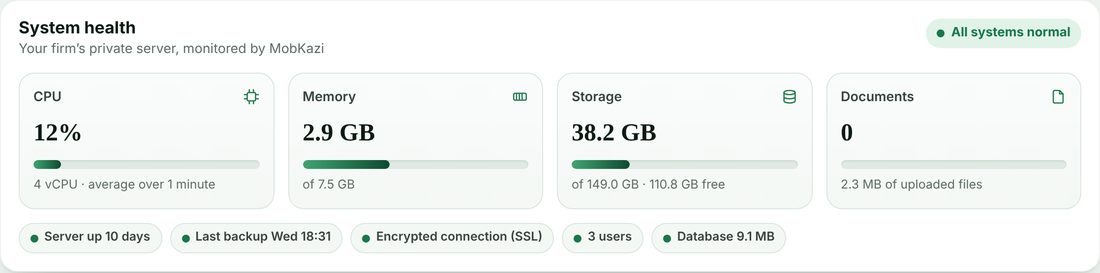
Each firm gets its own private database. MobKazi monitors the servers, backs everything up every night and keeps the system up to date.
Your own database
Your records are never mixed with another firm's.
Nightly backups
Database and documents, kept for 30 days.
Encrypted connection
Every page and file travels over SSL.
Audit trail
Who created, changed or deleted what, and when.
Role-based access
Clerks never see fees; only the partner sees client money.
Monitored by MobKazi
Server health on the partner's dashboard, and a team on call.
The full tour, in under two minutes.
Every module, and what the partner, advocate, clerk and client each see.
- Dashboard and cause list
- Clients and conflict check
- Case folders
- The matter file
- Letters from templates
- Case progress
- Court diary and SMS
- Tasks and deadlines
- Fee notes and M-Pesa
- Client accounts
- Reports
- Client portal
Simple monthly plans. Cancel any time.
Every plan includes all 12 modules, your own database, nightly backups and support from MobKazi.
Solo
- Up to 2 users
- All 12 modules
- 10 GB for documents
- WhatsApp support
Firm
- Up to 8 users
- Client portal and SMS reminders
- 50 GB for documents
- Your logo on fee notes and the portal
- Phone and WhatsApp support
Chambers
- Up to 25 users
- Everything in Firm
- 200 GB for documents
- Your own web address
- Priority support and on-site training
One-time setup from KES 10,000: we bring in your existing clients and files and train your team. Prices exclude VAT. SMS charged at cost.
Running on Shauri within a week.
- 1
Tell us about your firm
Fill in the form below and choose your firm's address.
5 minutes - 2
We set up your Shauri
Your private system and accounts for each person, with your logo.
Within 24 hours - 3
We bring in your files
Send your client list and active matters; we load them for you.
2 to 3 days - 4
Your team is trained
A walkthrough for partners, advocates and clerks, in person or online.
1 session
Set up Shauri for your firm.
Free for 14 days. We'll call you within 24 hours to confirm the details and send everyone their sign-in.
What advocates ask us.
Can other firms see our files?
No. Each firm has its own private database, and every document is only served to people signed in to your firm. MobKazi staff only access your system when you ask for support.
We keep everything in Excel and paper files. Can you bring it in?
Yes. Send us your client list and active matters in whatever form you have them, and we load them for you during setup.
Do we need to install anything?
No. Shauri runs in the browser on any computer, tablet or phone. Your team signs in at your firm's address.
How do the SMS court reminders work?
When you add a court date and tick "remind the client", Shauri texts the client the day before with the time and the court. You choose how many days before in Settings.
What happens if the internet goes off?
Whatever you were working on stays on the screen, and Shauri saves it as soon as the connection is back. The top bar always shows whether your changes are saved.
What if we want to leave?
Your data is yours. We export your clients, matters and documents for you, and you can cancel any time.